 Runwell
A battery monitor that admits what it can't see.
macOS hides two thirds of the processes on your Mac. Runwell shows you the rest, tells you it's the rest, and never invents the difference.
Free and open source · MIT · Universal · Signed and notarized
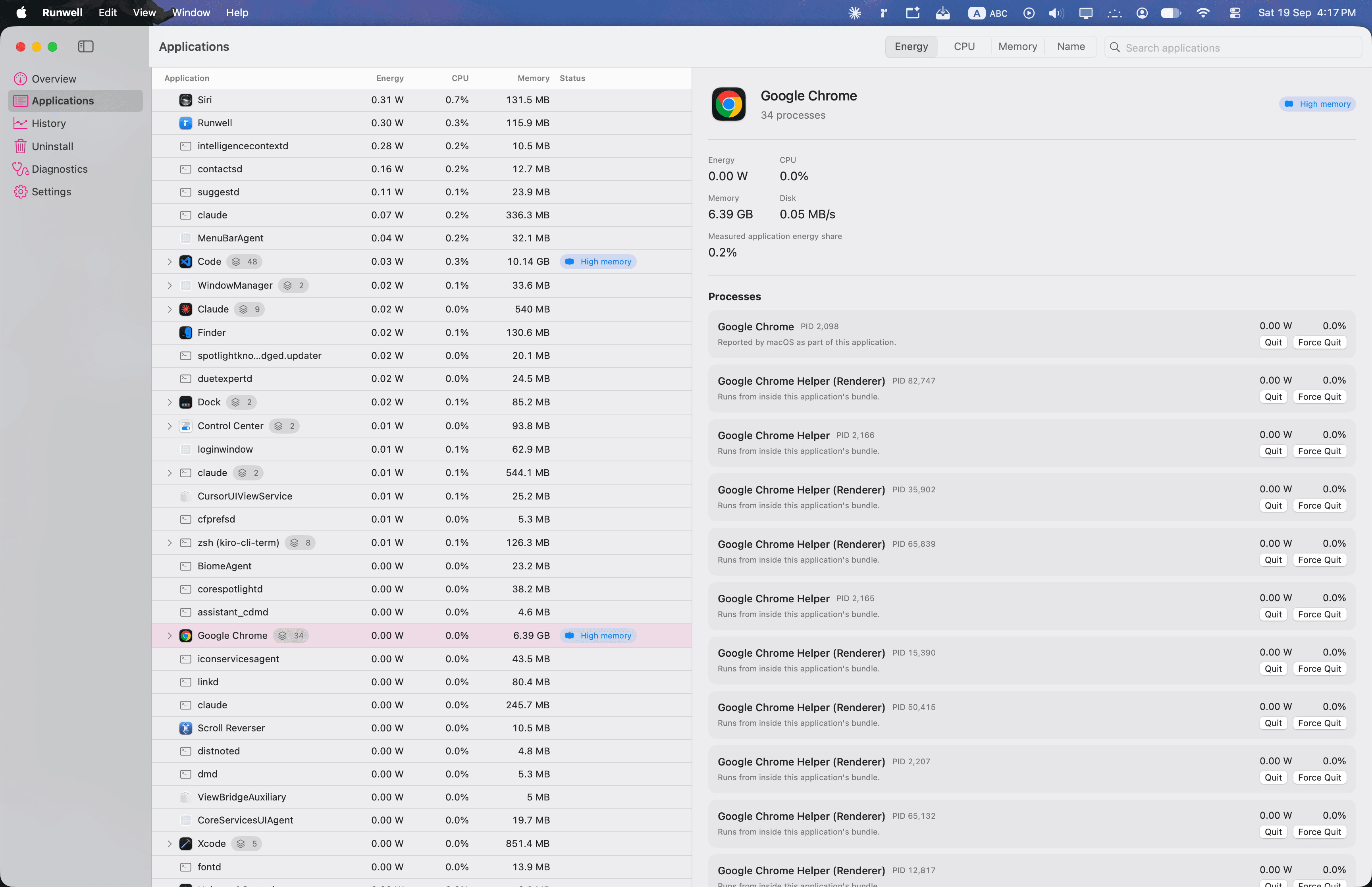
Activity Monitor gives you a number with no units and no source.
There is no way to tell a measurement from a guess. Three things every Mac user has already run into.
The number means nothing
“Energy Impact: 47” — 47 of what? Compared to what? There is no unit and no source.
One app is a dozen rows
Helper processes are listed separately, so quitting a browser is twelve decisions, and killing the wrong helper leaves the app running broken.
Zero and unknown look identical
An app that cannot be measured shows the same 0 as an app that is genuinely idle.
Energy Impact. No unit, no provenance, no way to compare it to anything.
A watt figure, the helpers folded in, and a label saying where the number came from.
A missing reading is not a reading of zero.
macOS only reports per-process energy for processes your own user owns. kernel_task, WindowServer and roughly 200 other system daemons are unreadable — not estimated, simply unavailable. No permission or entitlement fixes this.
On the development machine that worked out to about 67% coverage, and measured app energy accounted for roughly an eighth of real battery draw. Runwell puts that figure on screen instead of hiding it.
Every number carries where it came from.
Measured, derived, estimated, or unavailable — labelled, not blended. A reading macOS refuses to give is shown as an em dash.
Read straight from a system counter.
Computed from two or more measurements.
Inferred from a model. Treat as approximate.
macOS would not say. Shown as —, never as 0.
Seven surfaces in 1.0.1.
Each one built around the same rule: show the number, and show where it came from.
See energy, CPU, memory and disk per app — grouped by application, not scattered across helper processes.
Handles ~166 grouped applications smoothly. The expensive work runs once per sampler cycle, not once per row per frame.
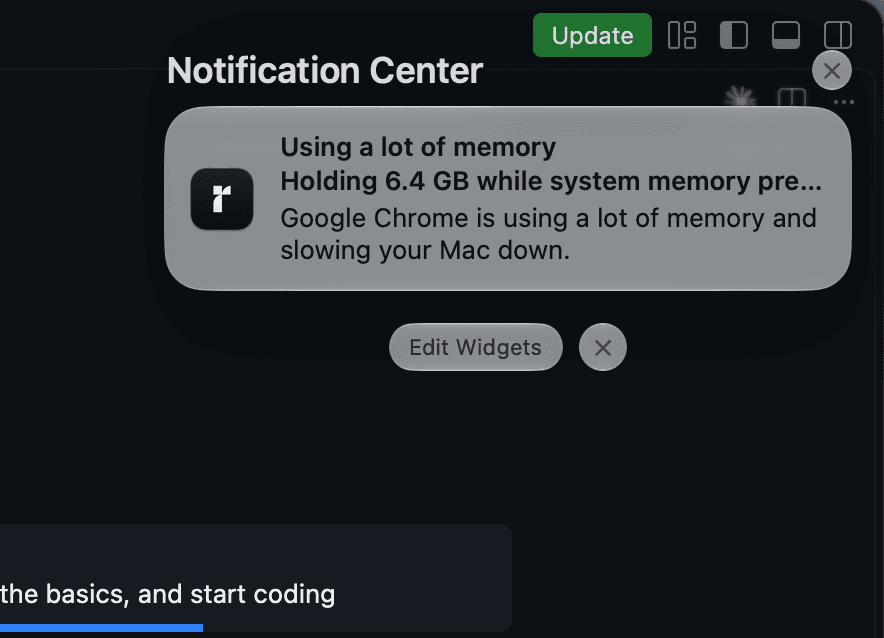
What drained it yesterday, still on record.
Battery sessions grouped by day, with the share each app is responsible for — and a note, on the same screen, saying those shares only cover the processes Runwell could measure.
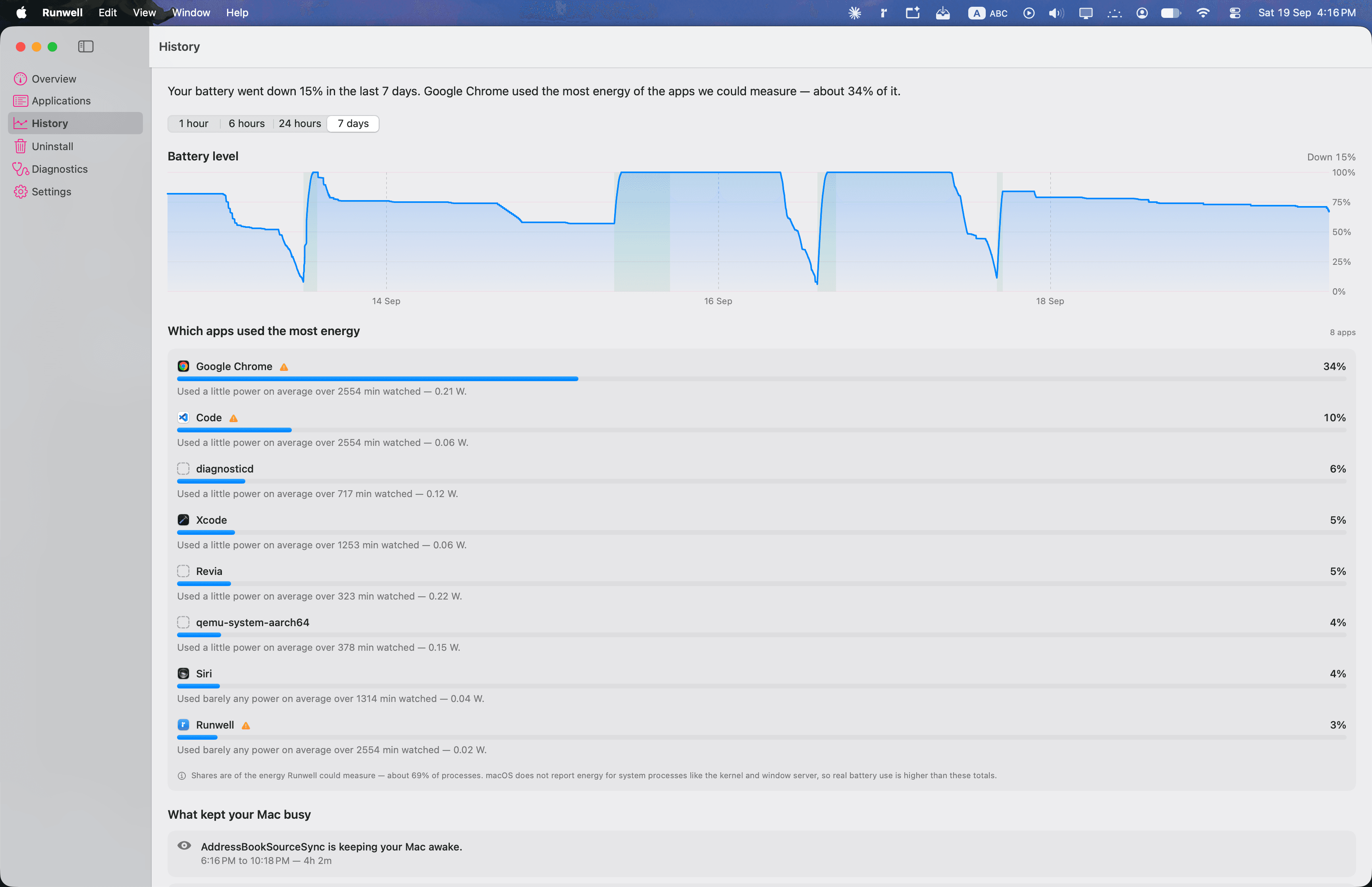
It speaks up only when it's worth knowing.
An app holding a power assertion while the screen is off, an unusual background wakeup rate, sustained energy you did not ask for. Plain language, no badge counts, no daily digest.
A battery monitor that flattens your battery is a contradiction.
Sampling adapts to what you are doing. Turn recording off and it genuinely stops — a real paused state, not the slowest cadence.
Quitting and uninstalling are guarded.
Both surfaces end processes or remove files, so both refuse more than they accept.
No account. No analytics. No network calls.
Absolutes, because they are true of the app. Turn off Wi-Fi and Runwell behaves exactly the same.
Stays on your Mac
No account, no analytics, no network calls, no telemetry. Nothing to opt out of, because nothing is collected.
A local database
History is a SQLite file in ~/Library/Application Support/Runwell/. “Delete All History” genuinely deletes it — the file shrinks rather than the rows being hidden.
Redacted by default
Bundle identifiers and display names are stored. Executable paths are redacted before they reach a row, and command-line arguments are never collected at all.
Every figure here came off a profiler.
For context on the two per-frame rows: a 60 Hz frame budget is 16.7 ms, and the icon lookup alone was more than twice that before anything was drawn.
MIT licensed. Read it before you run it.
A utility that reads system data and deletes files should be inspectable. The whole thing is on GitHub.
View source on GitHubgit clone https://github.com/meerbahadin/runwell.git
cd runwell
swift test
Scripts/build-app.shFor local development only. build-app.sh produces an ad-hoc signed build that Gatekeeper rejects on any other Mac — the download above is the distributable one.

Know what's draining it. And what you don't know.
Download for macOSFree and open source · MIT · Universal · Signed and notarized
Both the app and the disk image are notarized, so there is no Gatekeeper workaround to explain. No right-click Open, no terminal command.